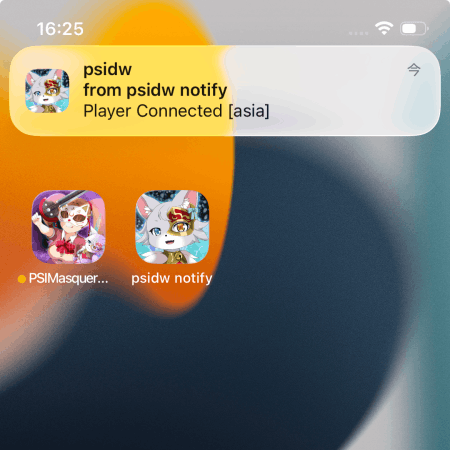
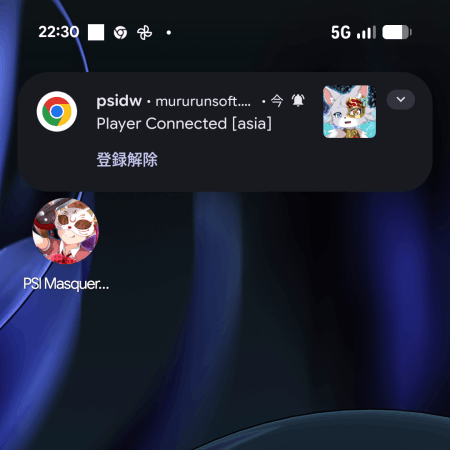
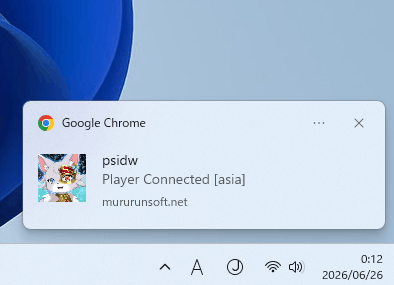
You will be notified when someone logs in to psidw.
Messages are shown as "Player Connected [Region]". The identity of the player who logged in is not disclosed.
Notifications are sent when the number of online players changes from 0 to 1.
Consecutive logins may not trigger additional notifications.
Logins by players who have set their lobby status to "Offline" do not trigger notifications.
Notifications may be delayed depending on your device or browser status (such as Do Not Disturb or battery-saving settings).
For iPhone Users
Open this page in Safari, then use the Safari menu at the bottom of the screen ("..." or the Share menu) and select "Add to Home Screen". It may be located under "More".
Then open the icon added to your Home Screen and enable notifications.
Note: On iOS, notifications are available only when the web app has been added to your Home Screen from Safari.
Notifications are not enabled yet.
Checking notification status...
Prevent notifications for your own logins (Optional)
Optional: Enter your in-game nickname and access code to stop notifications on your own device when you log in. This does not affect notifications for other players.
Notifications may be set to Silent.
If notification sounds are not played, open:
Android Settings → Apps → Chrome → Notifications → Additional settings in the app → Allowed sites → https://mururunsoft.net
and change the notification setting from Silent to Default.
When Do Not Disturb is enabled, notifications may be delayed until it is turned off.
On Android, notifications may be delayed if Chrome is closed or restricted by battery-saving settings.
When Do Not Disturb is enabled, notifications may be delayed until it is turned off.
This web app can also be used on Windows, but notification behavior may vary depending on your device settings. For the most reliable notifications, we recommend using a smartphone. If notifications are not appearing, make sure that "Do Not Disturb" is turned off in your Windows notification settings.